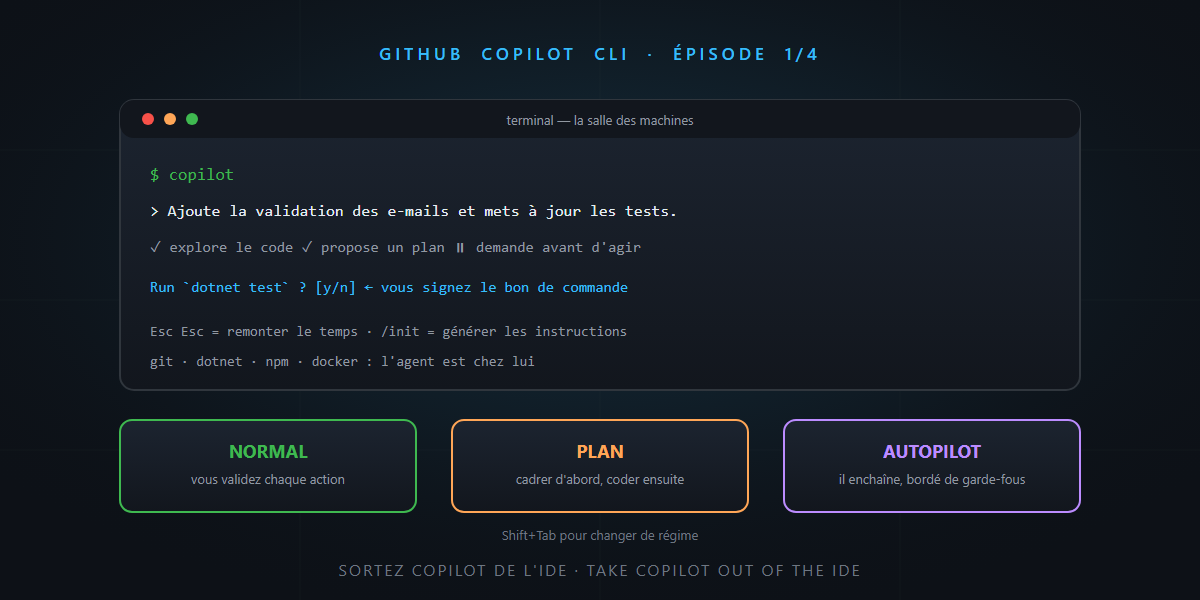
For many people, GitHub Copilot lives in VS Code. Completion, chat, modes — everything happens in the editor. Meanwhile, another Copilot has been growing elsewhere, quieter and formidably effective: GitHub Copilot CLI, the full agent that lives in your terminal. Generally available since February 2026, with a weekly release rhythm ever since.
This four-episode series covers everything it can do to date. Today: why the terminal, installation, and your first sessions. You’ll see: it’s not rocket science.
Why the terminal? Because that’s where everything happens
Think about your day: git, dotnet, npm, docker, scripts, SSH to the test server… The editor is just a window; the terminal is the engine room. Putting the agent there has very concrete consequences:
- The agent is at home. Compiling, testing, running, reading logs: it’s his native environment — the write → verify → fix loop of the harness, with no middleman.
- It goes everywhere. On your machine, in a Codespace, a dev container, over SSH on a VM — wherever there’s a shell, there’s your agent.
- It scripts. A command-line agent can be chained, automated, integrated into CI (patience — that’s episode 4).
- It’s editor-independent. VS Code, Rider, Neovim, nothing at all: doesn’t matter.
A useful clarification to avoid confusion: don’t mix it up with the old gh copilot extension (which suggested shell commands). Copilot CLI is a complete autonomous agent — the big brother of VS Code’s Agent mode, with more muscle.
Installation: one line, three options
# Windows
winget install GitHub.Copilot

# macOS / Linux
brew install copilot-cli

# Or the official script
curl -fsSL https://gh.io/copilot-install | bash
Then type copilot — GitHub authentication happens on first launch (OAuth flow). It’s included in Pro, Pro+, Business and Enterprise subscriptions (for the last two, an administrator must enable it in the organization policies). A welcome bonus: some models like GPT-5 mini are included without consuming premium requests — and if choosing models intrigues you, episode 2 comes back to it.
First session: the agent and the purchase order
Launch copilot in a repository and ask for something real:
“Add email validation to the signup flow, and update the tests.”
The agent explores the code, proposes a plan, then works — and here’s a familiar reflex for readers of this series: every sensitive action asks for your approval. Reading a file? Fine by default. Running dotnet test? It asks. Modifying a file? It shows the diff. It’s the tool approval principle: the intern fills in the purchase order, you sign it.
Two gestures to learn on day one:
- Esc Esc: the time machine — restores files to a previous snapshot. The right to make mistakes, built in.
- Ctrl+X Ctrl+E: opens your editor to write a long prompt comfortably.
The three driving modes
Copilot CLI carries over the philosophy of the IDE modes, terminal edition — hit Shift+Tab to switch:
| Mode | Who holds the wheel | When to use it |
|---|---|---|
| Normal | you approve each action | day-to-day, the default |
| Plan | nobody codes: you scope | Copilot analyzes, asks questions, produces a structured plan — before any serious work |
| Autopilot | the agent runs without stopping | well-scoped tasks, controlled environment — with episode 2’s guardrails |
Plan mode deserves emphasis: it’s exactly the “understand, align, plan” reflex of the base prompt — here, built into the tool. Scope first, code second.
Give it your foundations: /init and AGENTS.md
Remember the formula: the prompt expresses the decisions, the repo remembers them. Copilot CLI takes it literally:
- The
/initcommand examines your project and generates a tailored instruction file (conventions, architecture, build commands). - The CLI reads AGENTS.md and your instruction files — the same ones already driving Copilot in VS Code. Your foundations serve once more.
In a well-equipped repository (instructions + ADRs, as in the vibe engineering post), the terminal agent starts already briefed.
In summary
- Copilot CLI = the full agent in the terminal: where git, builds and scripts live — GA since February 2026, updated weekly.
- One-line installation (winget/brew/script), included in Copilot subscriptions, built-in GitHub authentication.
- Normal, Plan, Autopilot: three driving modes, Shift+Tab to switch — and Esc Esc to rewind time.
/init+ AGENTS.md: your repository foundations brief the agent from the first second.
Coming up: episode 2 explores the daily routine (sessions, context, memory, models, security), episode 3 builds the team (built-in agents, custom agents, skills, plugins, MCP), and episode 4 delegates and automates (cloud, worktrees, scheduling, CI). A full agent in the terminal, honestly… it’s not rocket science.